Read engine trouble codes
Use a compatible adapter to scan supported engine and emissions codes, then read plain-language explanations.
Your vehicle. Your local shop.
In your pocket.
Understand engine codes, keep your vehicle details together, and connect with Community Auto from your phone.
Free app. Coming to iPhone & Android.
Vehicle scans require a separately purchased Community Auto Adapter. Compatibility varies by vehicle.
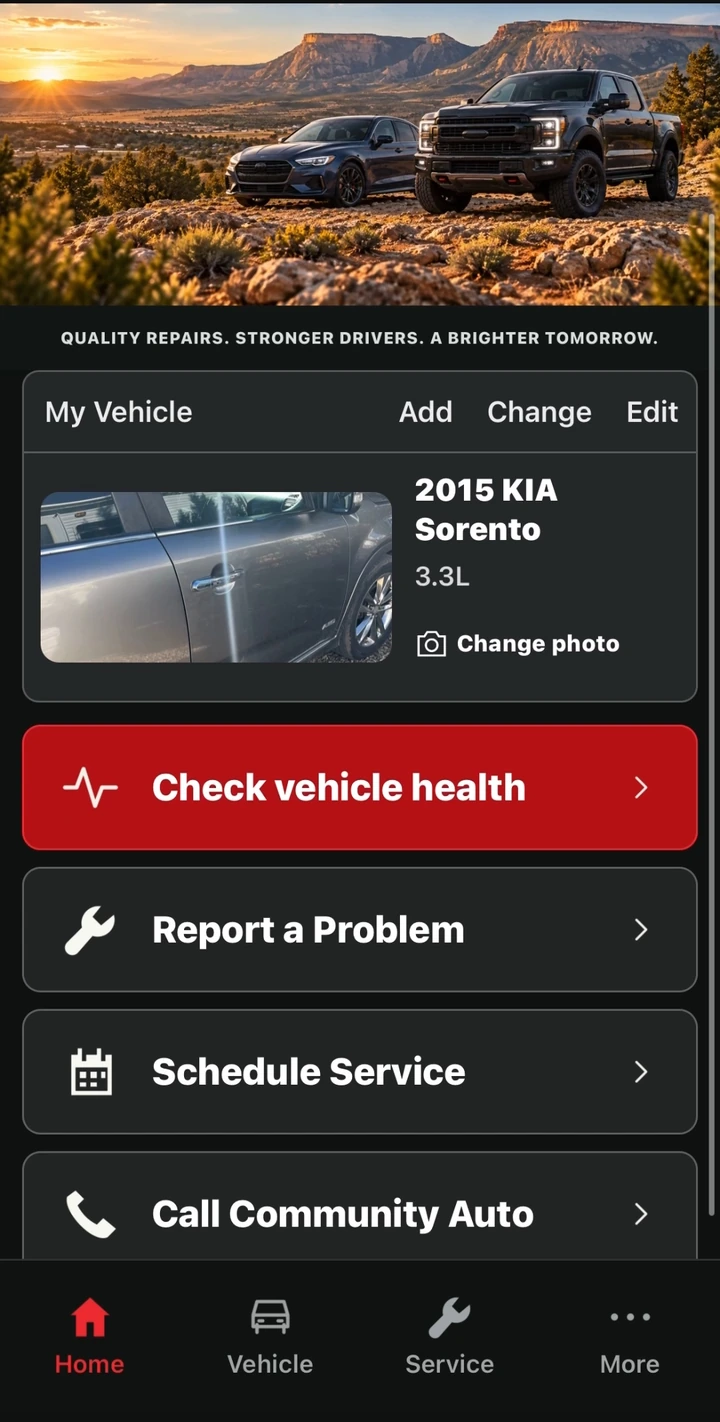
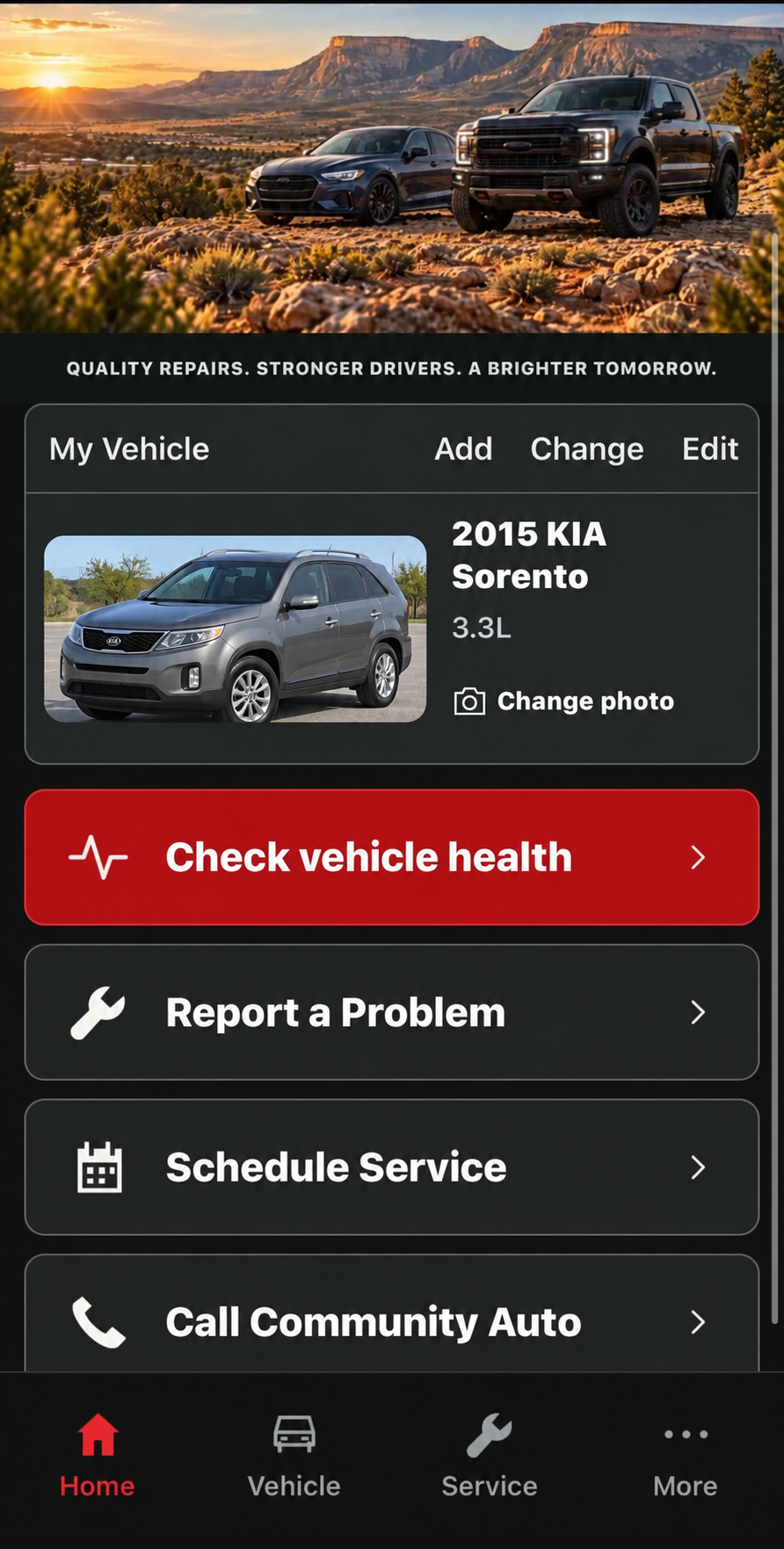
Community Auto app preview
The essentials, together
in one free app.
Use a compatible adapter to scan supported engine and emissions codes, then read plain-language explanations.
Add vehicle details and photos so the information you need is together when it is time to talk about service.
Describe what you notice and choose which scan information to share with Community Auto.
Book an appointment at our Cortez shop and view or cancel your appointments from the app.
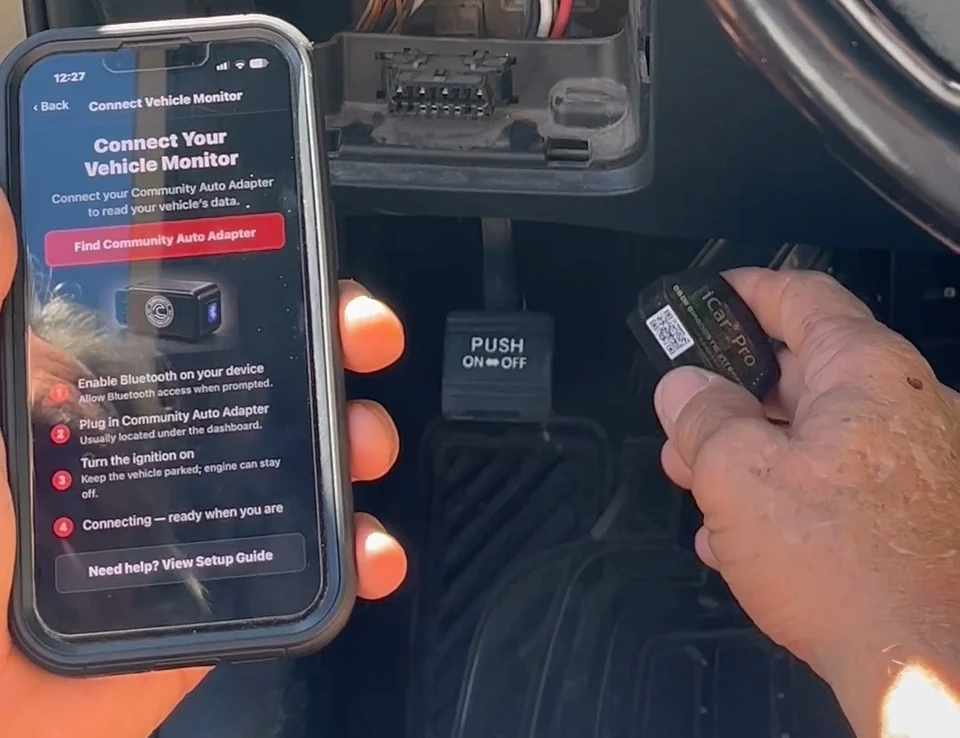
Plug the adapter into a compatible vehicle, connect it to the app, and run a scan while parked. Review the findings, then decide whether to share them with our shop.
Scanning covers supported standard OBD-II engine and emissions information. Results offer guidance and do not replace a professional diagnosis.
Not yet - it is coming soon. Watch this page and our Facebook page for launch news.
A separately purchased Community Auto Adapter is required for vehicle scans. Vehicle organization and general shop-contact features do not require an adapter.
The app is planned for vehicle owners throughout the United States. Shop appointments and physical repair services take place at Community Auto & Truck Repair in Cortez, Colorado.
No download is available yet. In the meantime, our shop is a phone call away.